Your datacenter
Networking
How servers reach the internet: switches, firewalls, routers and cables, the uplink and its speed, second carriers, fibre hand-offs and DDoS attacks.
A server earns nothing until it has a path to the internet. Each cabinet gets a line from the building, the uplink, and you build the rest from switches, cables and, if you like, a firewall.
The cabling rules
Every cabinet is a tree with the uplink at the top:
- Servers plug into a switch, never straight into the uplink.
- Switches plug into the uplink or into a firewall.
- Firewalls sit only on the uplink.
- Both ends of a cable are in the same cabinet.
The cable picker only lists valid spots, so you cannot cable something wrong.
Cabling a cabinet
- Mount a switch.
- In the Network panel, click Cable on the switch and choose Directly to the uplink.
- Click Cable on each server and pick a free switch port.
- Optional: put a firewall on the uplink and hang the switch off the firewall instead.
A device shows online when it has a path to the uplink, no path when it does not, and unplugged when it has no cable. Re-cable and Unplug change a cable.
Switches
A switch's ports limit how many devices hang below it; its port speed and uplink speed limit how fast they reach the internet together. A small switch is enough for a first cabinet; bigger, faster ones come with growth.
Speed
A server runs at the speed of the slowest link between it and the internet: its own network card, the switch port, the switch's uplink, and the cabinet's line. The panel shows each link's speed and whether it is copper or fiber.
The uplink hand-off
The hand-off is the physical line the building gives your cabinet. Copper is included. Fiber hand-offs are faster and cost a monthly fee. A fiber hand-off also needs an optical module fitted in the switch, firewall or router cabled to the uplink; without one, the panel tells you the link runs at copper speed.
Each rented unit includes some bandwidth; traffic above it is billed. When customer traffic is more than the line can carry, the uplink is saturated: things slow down and customers in that cabinet start leaving. The cure is a faster hand-off or spreading customers over more cabinets. After the upgrade the warning clears as soon as you open the Racks page.
Second carrier
Add second carrier brings a second internet line for extra rent. If one carrier is cut, traffic moves to the other one instead of the whole cabinet going offline for hours. Without a BGP router that move is a short manual switch-over; with one it is instant. A second carrier also adds an uplink port.
Firewalls and DDoS attacks
A cabinet with paying customers can be hit by a DDoS attack: a flood of junk traffic that fills the line. The bigger your company, the bigger the attacks. What saves you:
- A rented DDoS filter (a monthly add-on above the cabinet, in 1, 5 and 10 Gbps sizes) stops attacks up to its size. A firewall with intrusion prevention costs more at once but less over time.
- A firewall with intrusion prevention (IPS) on the uplink stops attacks up to its throughput.
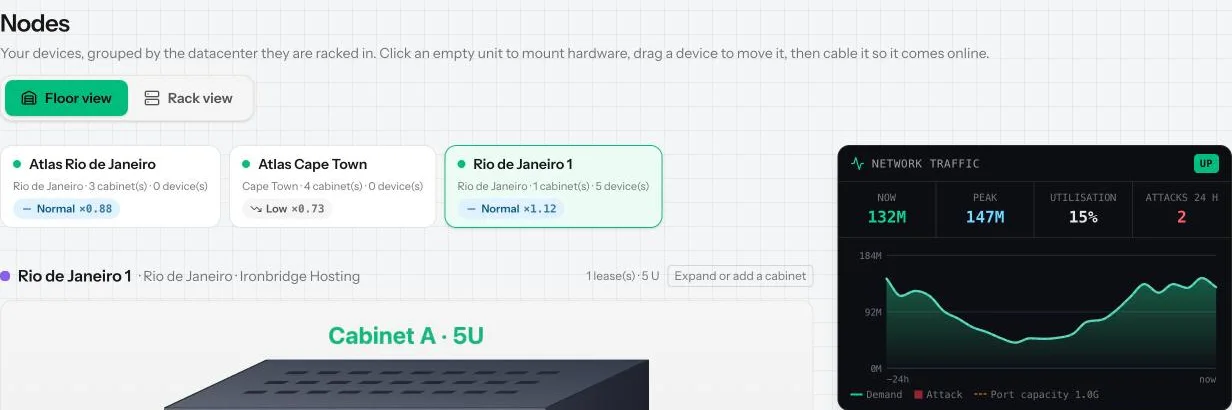
An attack nobody stops takes the whole cabinet offline while it lasts, even with a second carrier, and some customers leave on the spot. The traffic panel shows UNDER ATTACK or ATTACK FILTERED.
Common mistakes
- Cabling servers to the uplink instead of a switch (the game will not let you).
- Paying for a fiber hand-off without fitting an optic.
- A firewall slower than your uplink: it becomes the bottleneck.
Want the numbers? The full rules: Network and uplinks